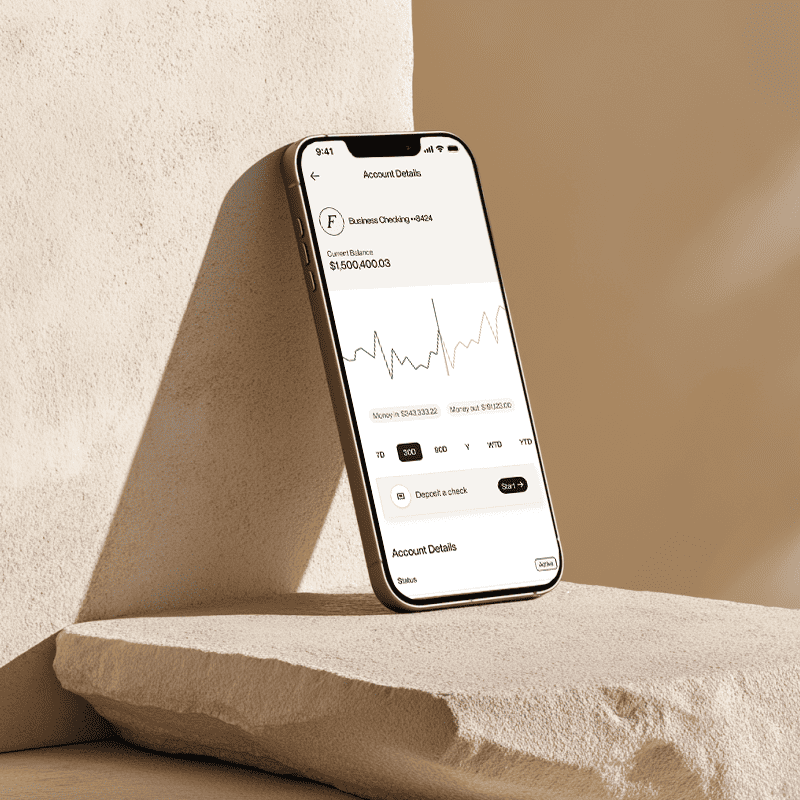



- Accounting software integration allows financial data to move automatically between systems and reduces manual work.
- Flex integrates with major accounting platforms to streamline AP, AR, expense controls, and reconciliation.
- Integration leads to real time visibility across cash flow, card activity, and vendor payments.
- Flex customers can complete implementation quickly using built in automations, guided configuration, and secure data syncs.
- The right integration setup improves accuracy, speeds monthly close, and elevates financial oversight for C-suite leaders.
Integração de Software de Contabilidade: Como Integrar com o Flex
O artigo seguinte é oferecido apenas para fins informativos e não se destina a fornecer, nem deve ser considerado, aconselhamento jurídico ou financeiro. Por favor, consulte os seus próprios consultores jurídicos ou contabilísticos se tiver dúvidas sobre este tópico.
Accounting software integration has become essential for operators who want consistent visibility into cash flow without adding operational burden. With the rise of multi-system financial stacks, leaders now expect their data to be synchronized, accurate, and available in real time. Flex was built with this expectation in mind, offering a refined experience that brings banking, spend management, and accounting workflows into one cohesive platform.
This guide explains what accounting software integration is, why it matters, and how to integrate your accounting tools with Flex. It also explores the advantages Flex customers gain when their accounting system becomes a connected part of their daily financial operations.
What is Accounting Software Integration?
Accounting software integration is the secure connection between your accounting platform and other financial systems so that data can sync automatically. Instead of downloading spreadsheets or manually entering transactions, integration maintains a live link between systems.
In practice, this means:
- Transactions flow from Flex card activity, bill payments, and vendor records into your accounting platform.
- Key categories and tags are applied consistently across systems.
- Reconciliation becomes faster because data is already matched and organized.
- Your accounting platform remains the single source of truth while Flex handles real time inputs.
For businesses that operate across multiple accounts, departments, or payment workflows, integration ensures the entire financial picture stays aligned.
Why Integrating with Flex Matters
Flex is designed to act as a sophisticated financial backbone while remaining lightweight for teams. When your accounting platform is connected to Flex, each part of your financial workflow gains clarity and control. The benefits include:
Reduced manual work
Flex automatically syncs card transactions, vendor payments, and classifications. This removes repetitive entry and reduces error risk.
Cleaner expense records
Employee card usage, approvals, and supporting documentation are captured instantly, giving your accounting software complete context for each transaction.
More efficient AP workflows
Bills created and approved in Flex sync directly to the general ledger with the correct details already attached.
Faster month end close
Because Flex data arrives pre categorized and supported with receipts and metadata, teams spend less time tracking missing information in the month end close process.
Greater visibility for leadership
Real time spend dashboards and cash flow insights inside Flex complement the historical reporting inside your accounting platform. Together, they deliver a more complete financial picture without extra tools.
How Flex supports accounting software integration
Flex connects with leading accounting platforms such as QuickBooks and others commonly used by mid-sized businesses. The goal is to create a streamlined experience during setup and daily use.
Core integration capabilities include:
- Secure API based data syncs
- Automated transaction classification
- Vendor and bill record syncing
- Multi entity support for businesses that operate across subsidiaries
- Receipt collection and attachment
- Custom fields and tags that map directly to your chart of accounts
- Real time card transaction syncing
Each of these capabilities is designed to reduce friction, not create more complexity. Flex focuses on accuracy, simplicity, and continuity, which allows your accounting platform to remain the primary source of financial reporting while Flex enhances daily operations.
How to Integrate Your Accounting Software with Flex
The process is intentionally simple so customers can activate connections quickly and confidently. When it comes to banking and credit feeds, you can often integrate with Flex directly in your ERP system. However, for Flex products like invoicing and bill pay, customers can connect via Flex integrations.
Simply follow the below process to connect within the Flex ecosystem.
Step 1: Prepare your accounting environment
Before integrating, confirm that:
- Your chart of accounts is up to date
- Expense categories are clearly organized
- Vendor records are consistent
- Any duplicate accounts are cleaned up
- Multi entity structures are defined
A clean accounting foundation ensures Flex can map data correctly from the start.
Step 2: Navigate to Flex Integrations
Inside your Flex dashboard:
- Locate the Integrations section under Settings.
- Select your accounting platform from the available options.
- Review the permissions requested so Flex can sync data securely.
Step 3: Connect and authenticate
You will be redirected to your accounting platform to confirm the connection. Once authenticated, Flex begins establishing the sync.
Step 4: Configure your mapping rules
Flex allows you to customize:
- Categories
- Tags
- Departments
- Classes
- Vendor mapping
- Chart of account connections
This flexibility ensures every transaction that enters your accounting software arrives fully organized.
Step 5: Enable automated syncs
Once mapping is complete, Flex will begin syncing:
- Card charges
- Approvals
- Bill payments
- Vendor details
- Refunds
- Receipts
These syncs occur automatically so accountants and operators do not have to manage manual imports.
Step 6: Review your first sync
We recommend verifying a small sample of synced records to ensure everything appears exactly as expected. Adjustments can be made at any time inside your Flex settings.
Best Practices for Maintaining a Clean Integration
After your accounting software integration is active, keeping it healthy ensures your systems continue working together seamlessly.
Recommended ongoing practices:
- Review vendor records periodically for duplicates
- Maintain consistent naming conventions
- Update your chart of accounts as the business evolves
- Track failed sync alerts for quick troubleshooting
- Encourage employees to upload receipts immediately after purchases
Final Thoughts:
Accounting software integration turns disconnected financial processes into a unified system that supports clarity, accuracy, and operational speed. Flex enhances this experience by offering real time financial data, automated syncs, and intuitive AP and expense workflows that map directly into your accounting platform. When the two systems work together, businesses gain greater control and visibility while reducing the everyday strain of financial operations.